Head to your Planning Area Dashboard and select a Project Area Card.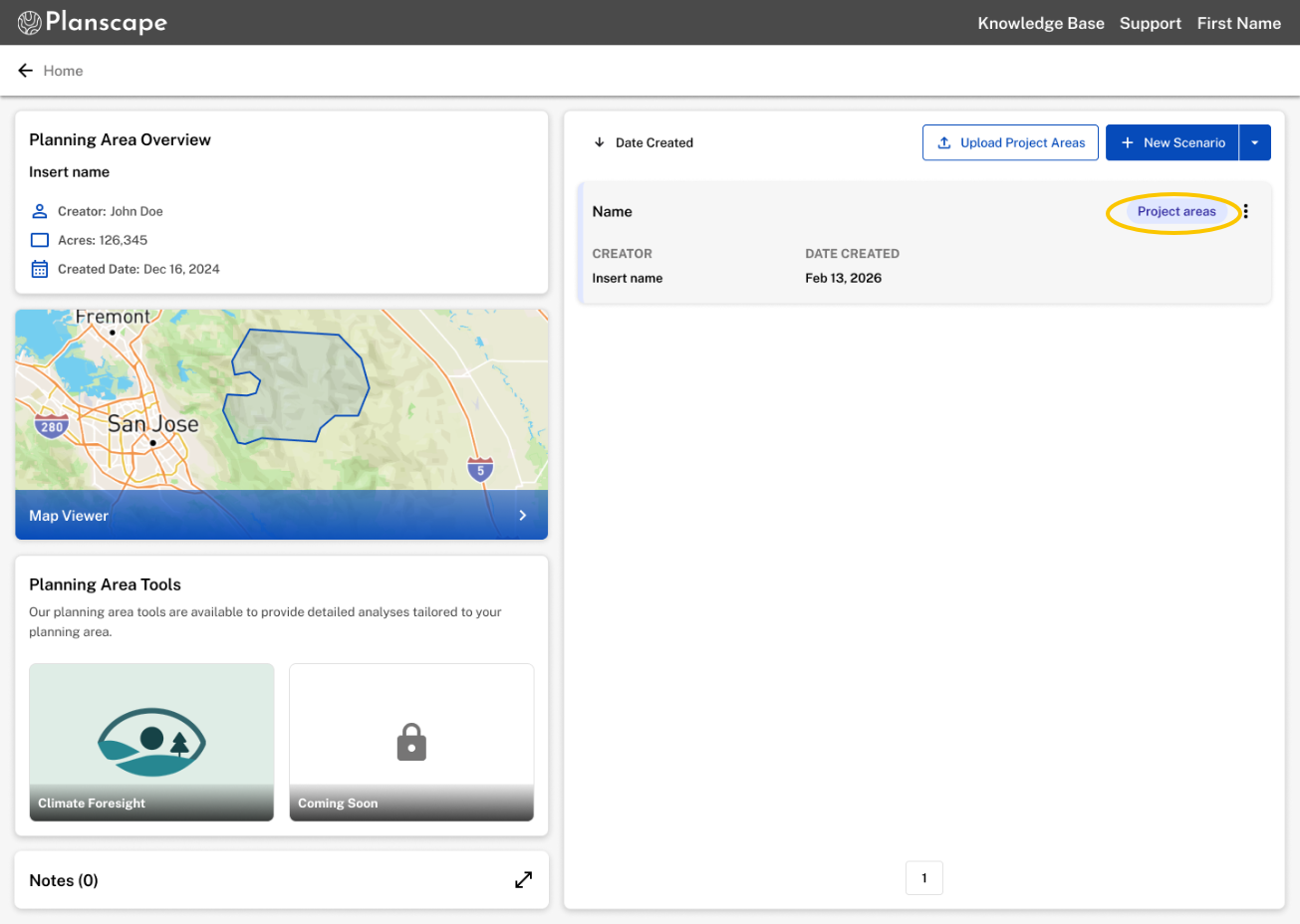
Select how you would like to prioritize your project areas. 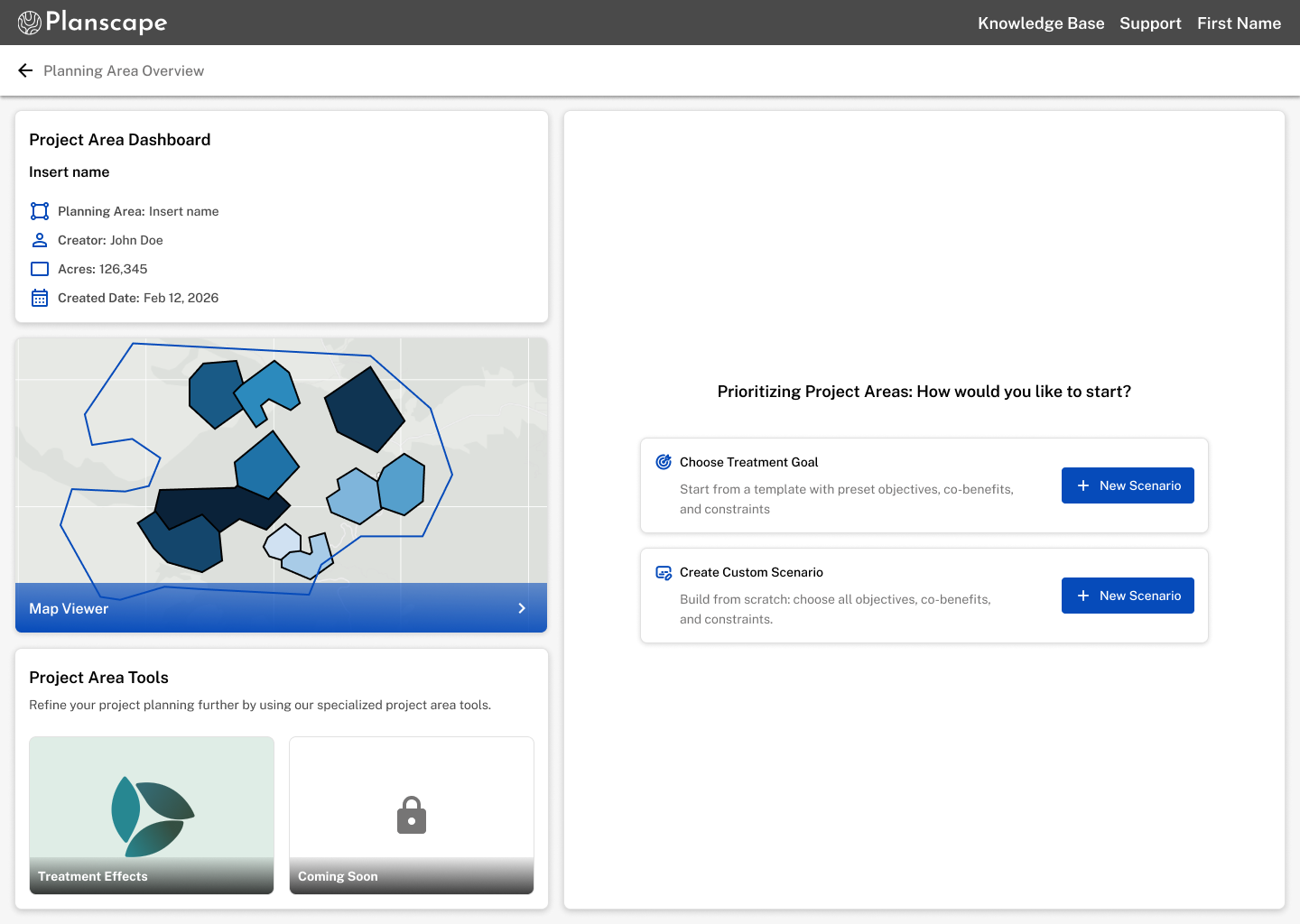
Continue on the chosen scenario workflow.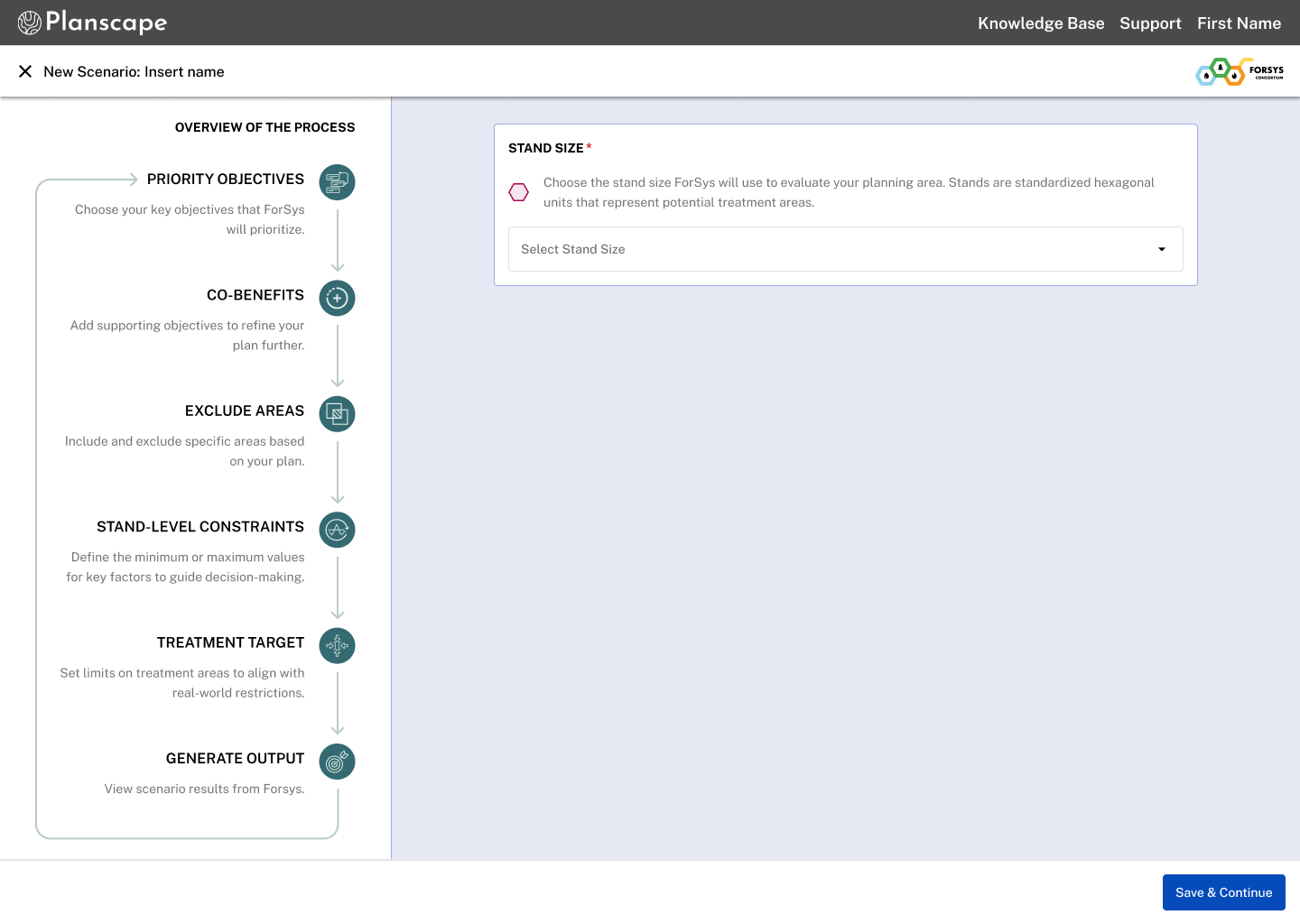
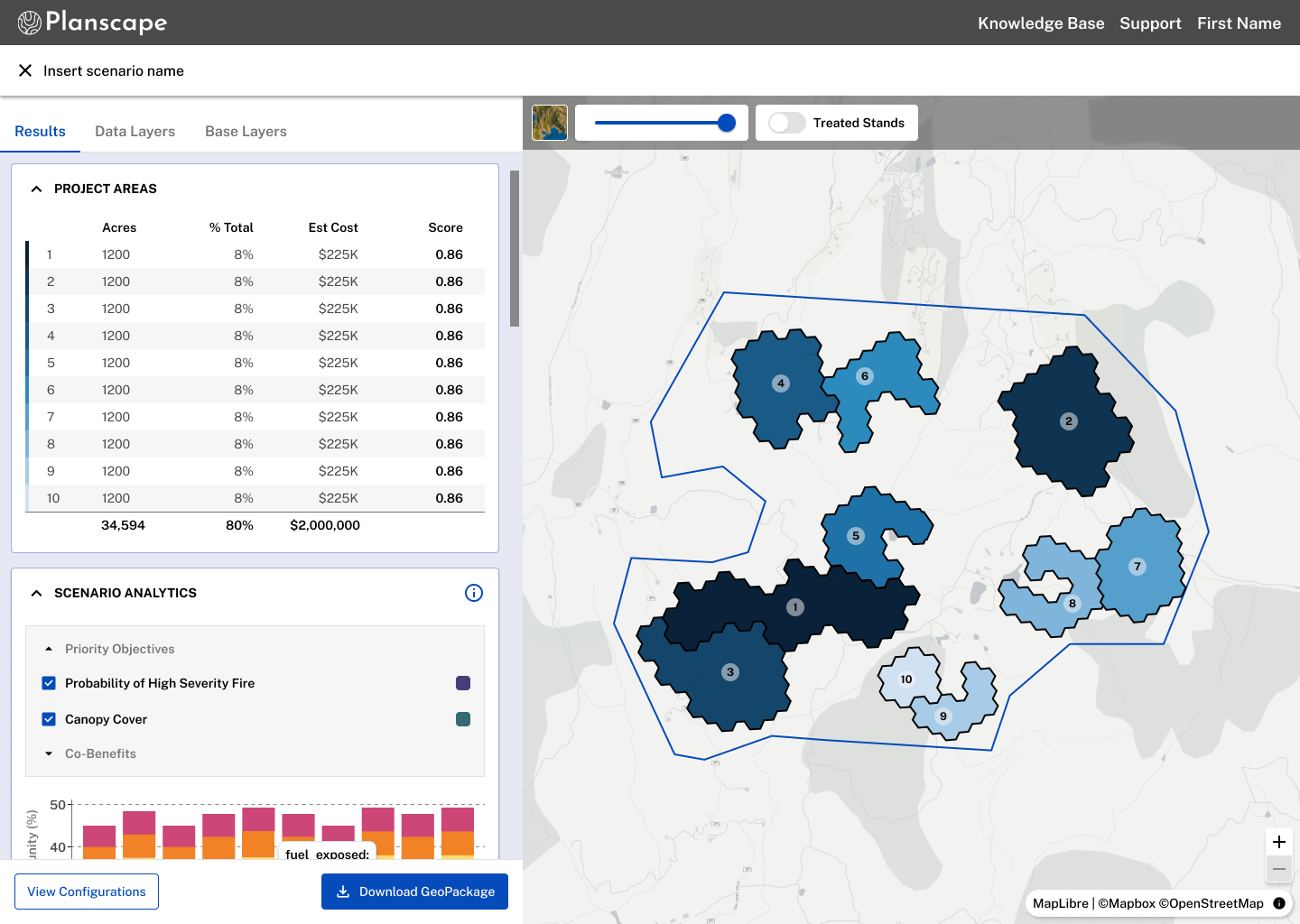
Once you scenario status has been marked as Done, select the card to view your results.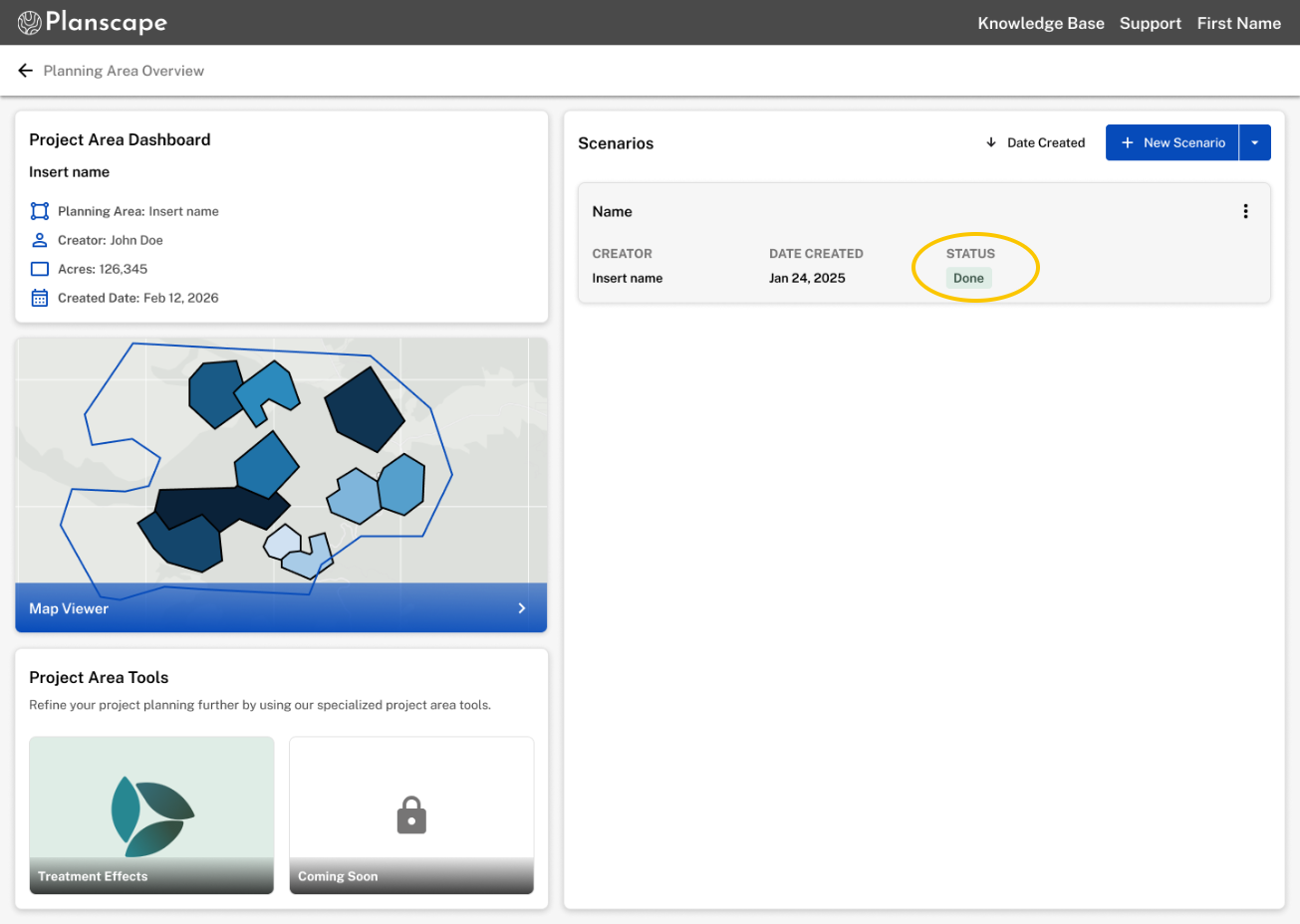
Was this article helpful?
That’s Great!
Thank you for your feedback
Sorry! We couldn't be helpful
Thank you for your feedback
Feedback sent
We appreciate your effort and will try to fix the article