Create Custom Scenario: Build from scratch, choose all objectives, co-benefits, and constraints.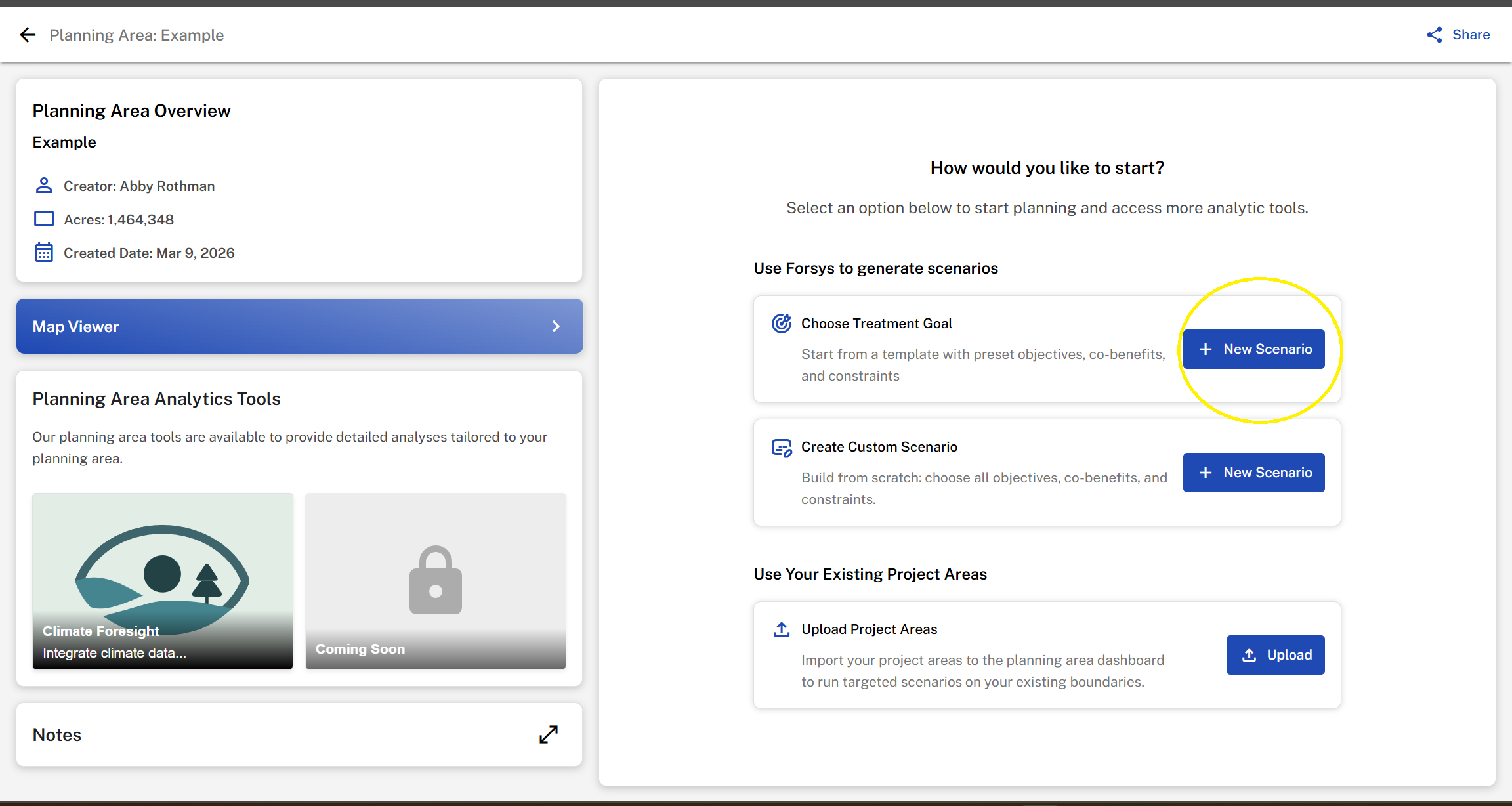
Name your scenario.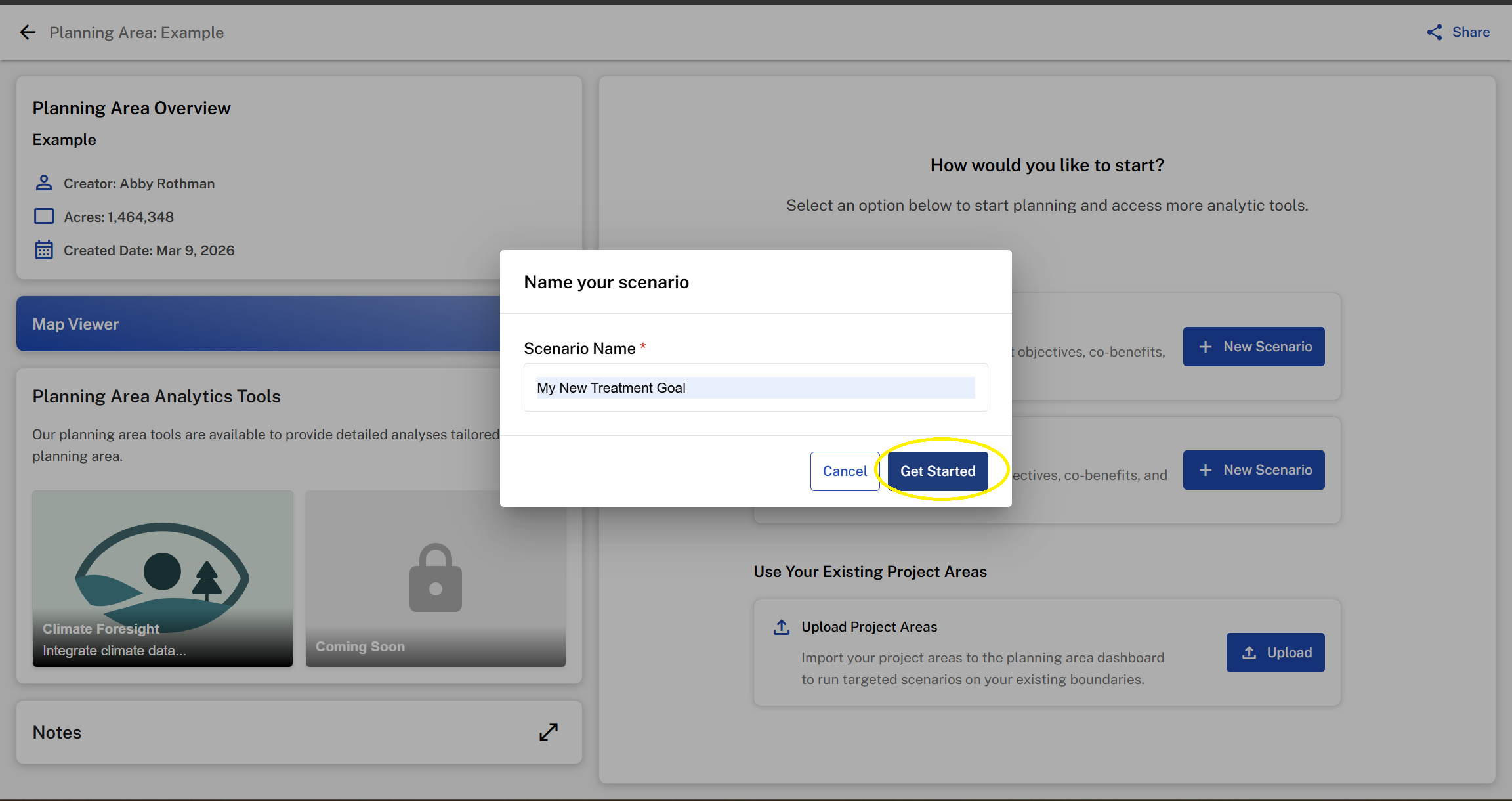
Review the workflow process then select a planning approach and stand size.

Planning Approach: Select how ForSys strategically evaluates your planning area based on your scenario. This choice determines whether ForSys creates new optimized project areas or evaluates existing landscape units. Learn more.

Stand Size: Choose the stand size ForSys will use to evaluate your planning area. Stands are standarized hexagonal units that represent potential treatment areas.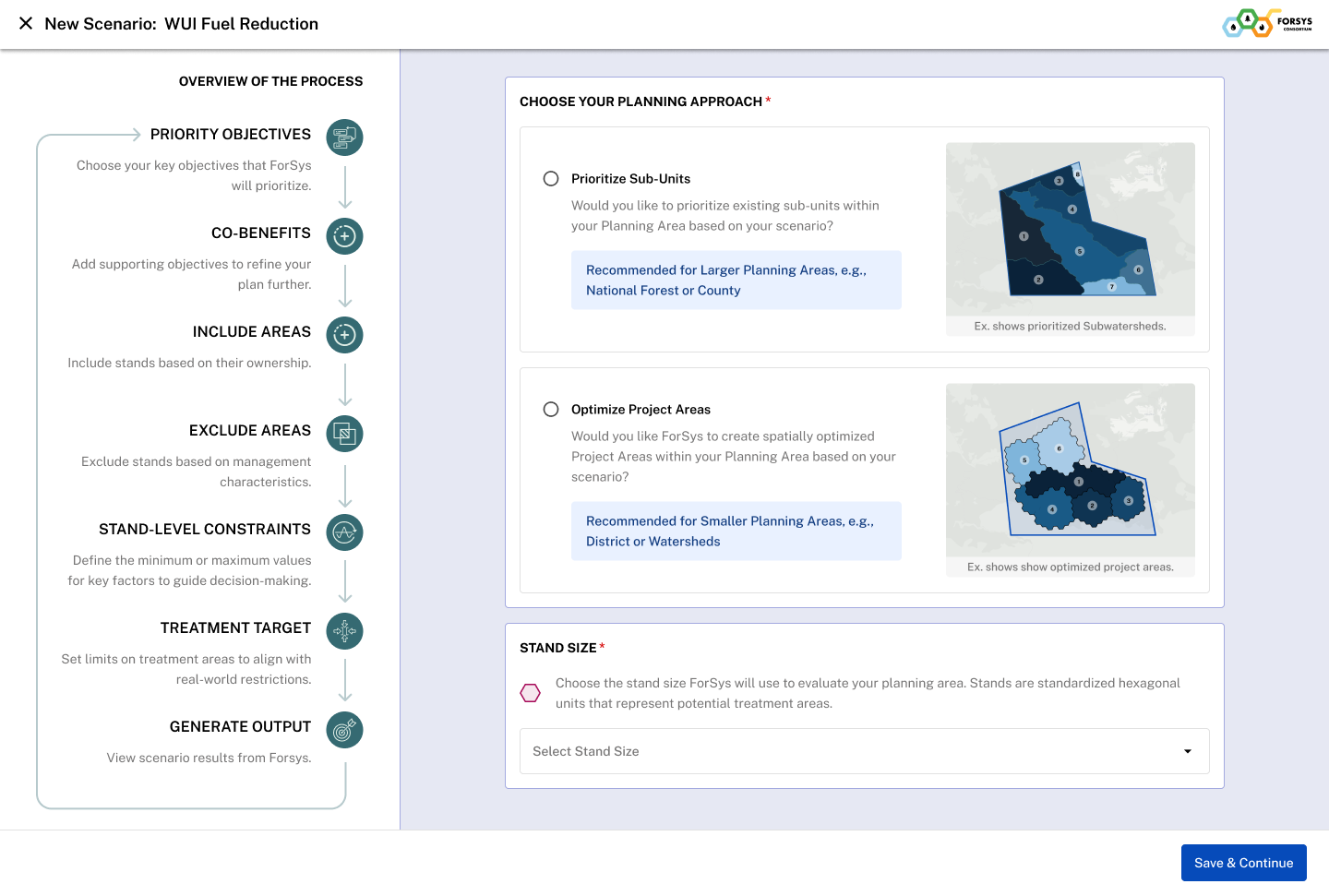
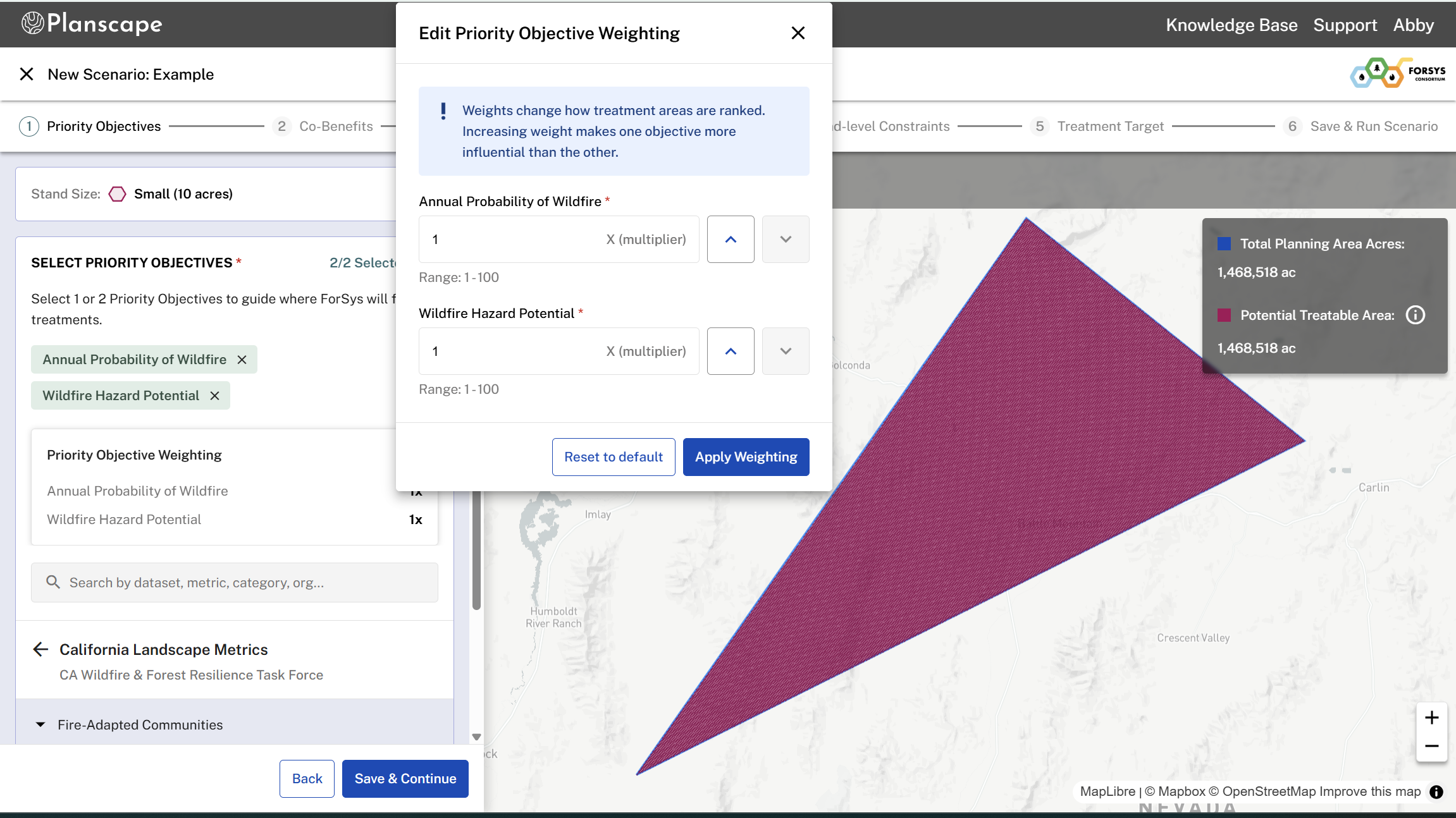
Select One or Two Priority Objectives: These are the main outcomes you want ForSys to focus on when identifying areas for treatment — like source exposure, wildfire hazard potential, or total live tree carbon.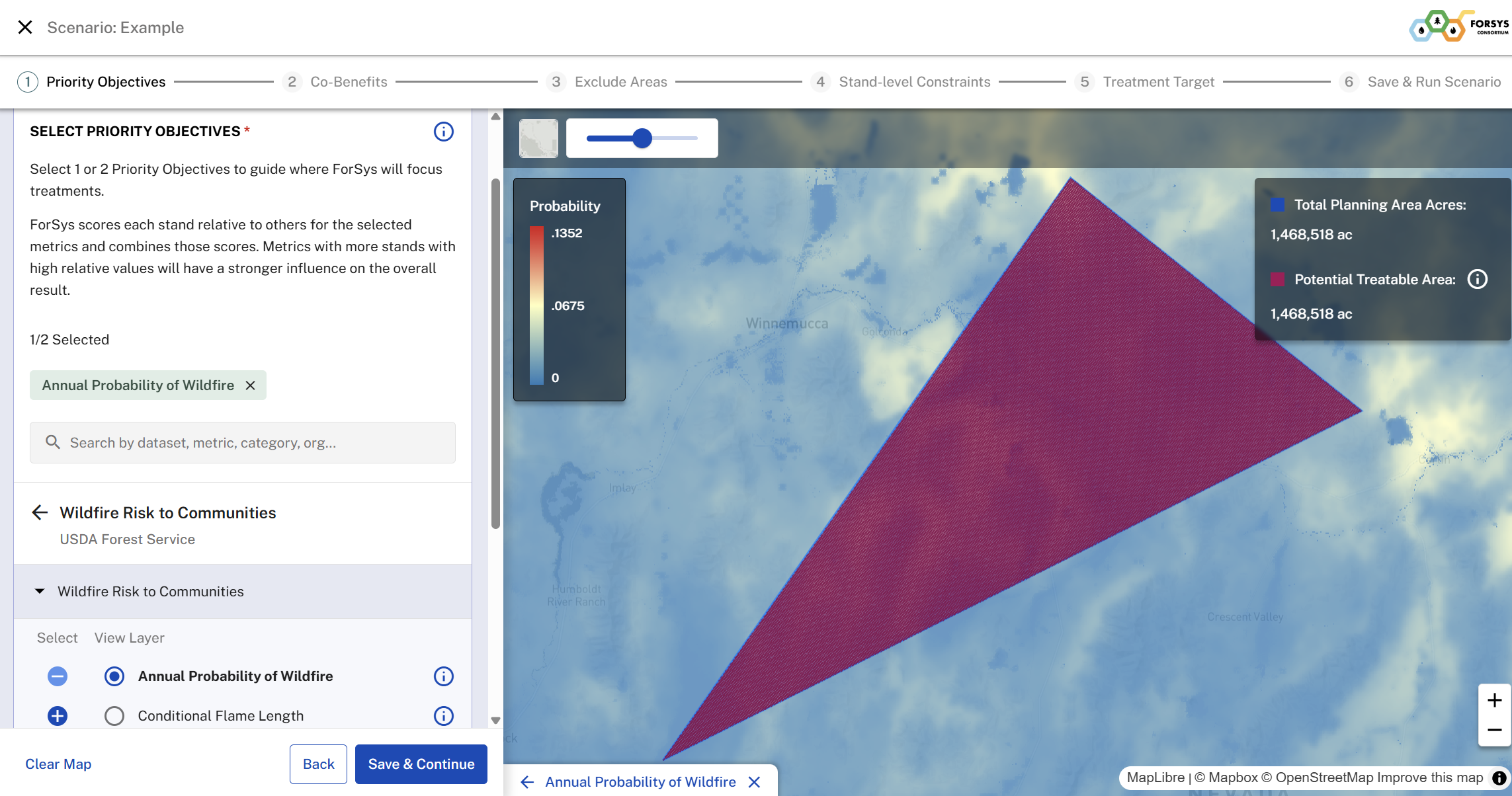
Weighting Priority Objectives: When there are two priority objectives selected you will be able to adjust the weighting for either priority. This allows the user to give one objective a higher degree of influence over the other in the results generated, based on planning priorities. For more information see the Weighted Priority Objectives Calculations section
Select up to Ten Co-Benefits: These are secondary goals that help you understand the broader impact of your scenario; for example, benefits to water, wildlife, or carbon.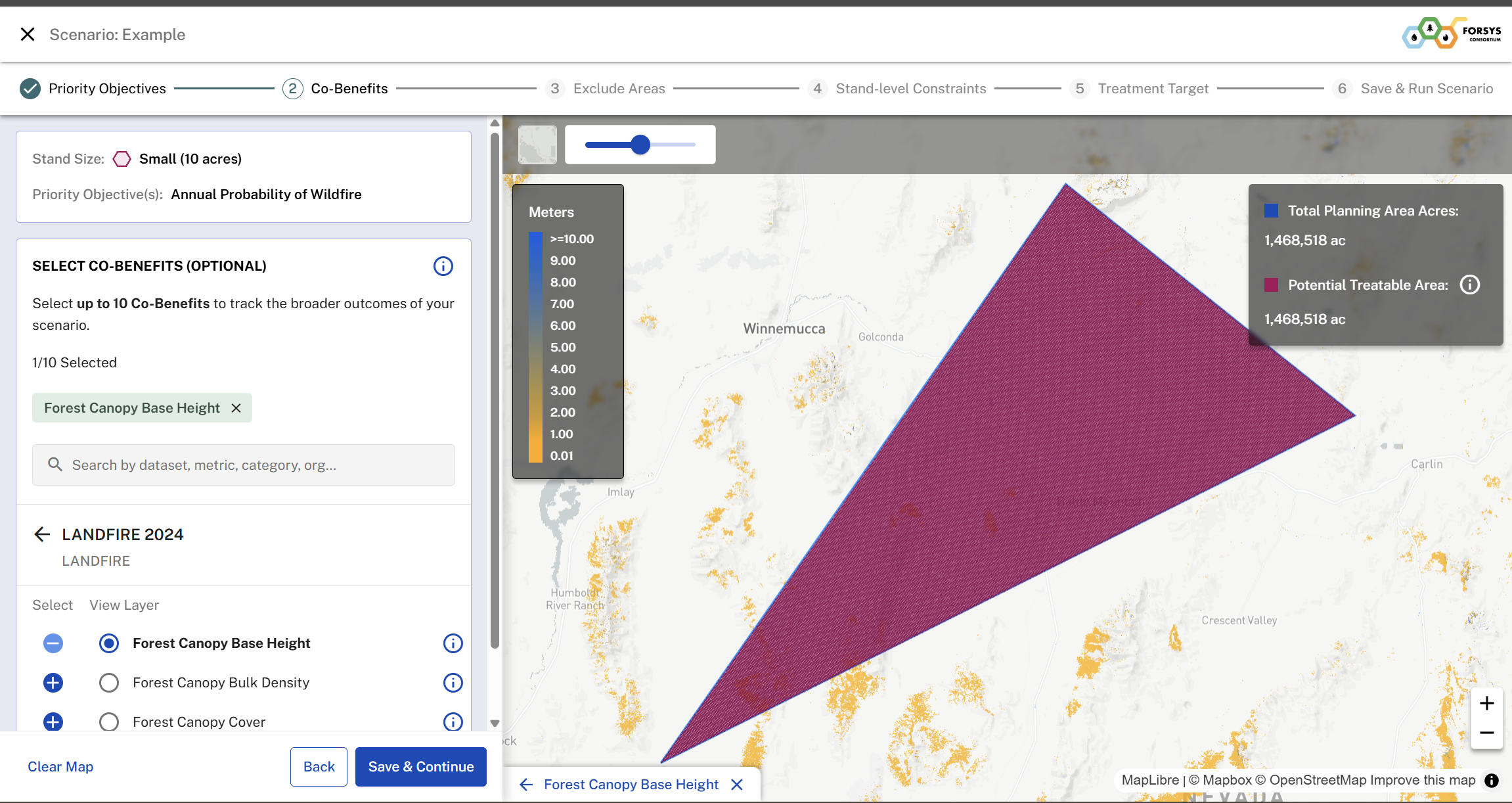
Areas to Include: Select all the ownership areas you want to include in your Potential Treatable Area.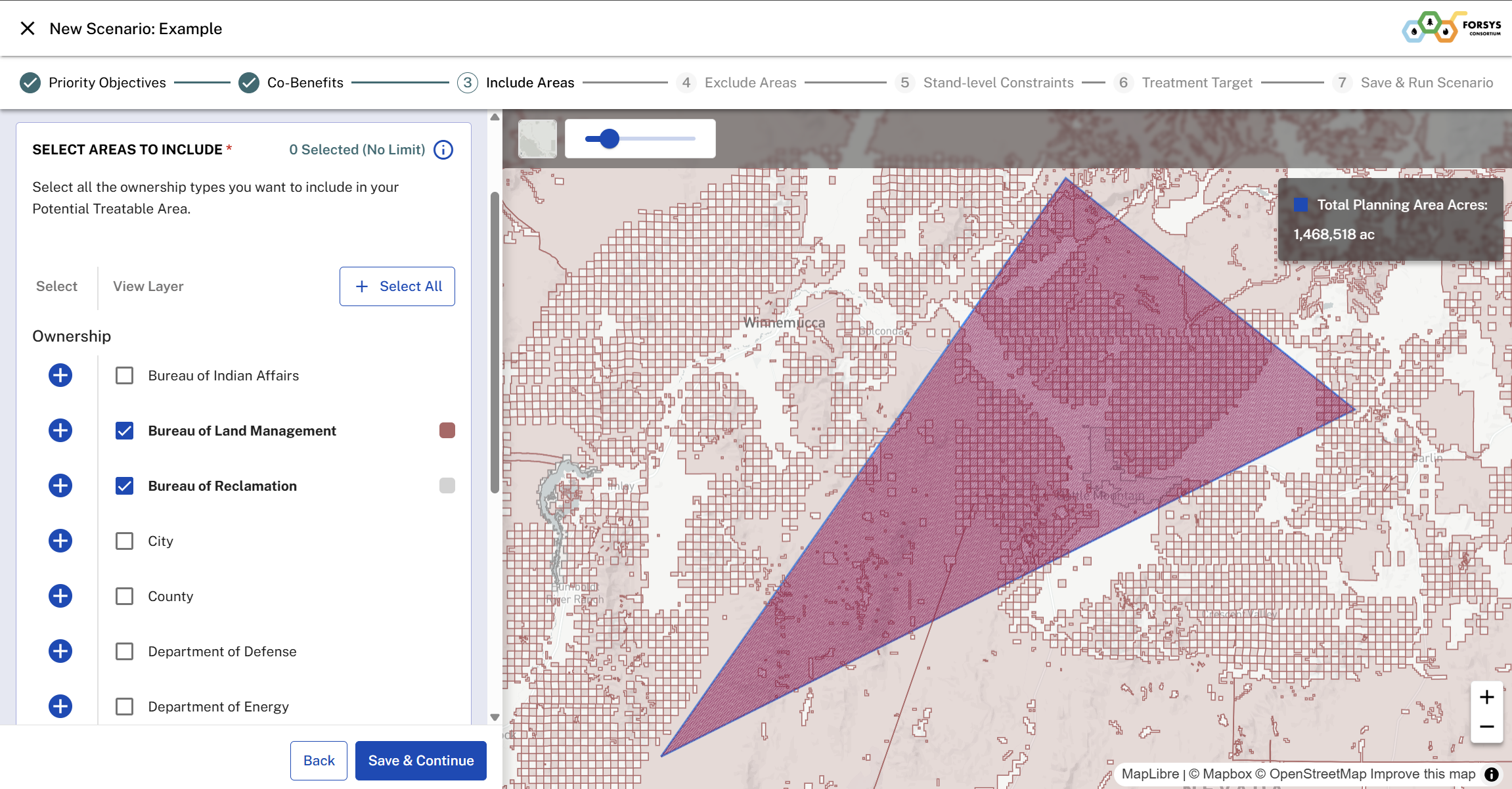
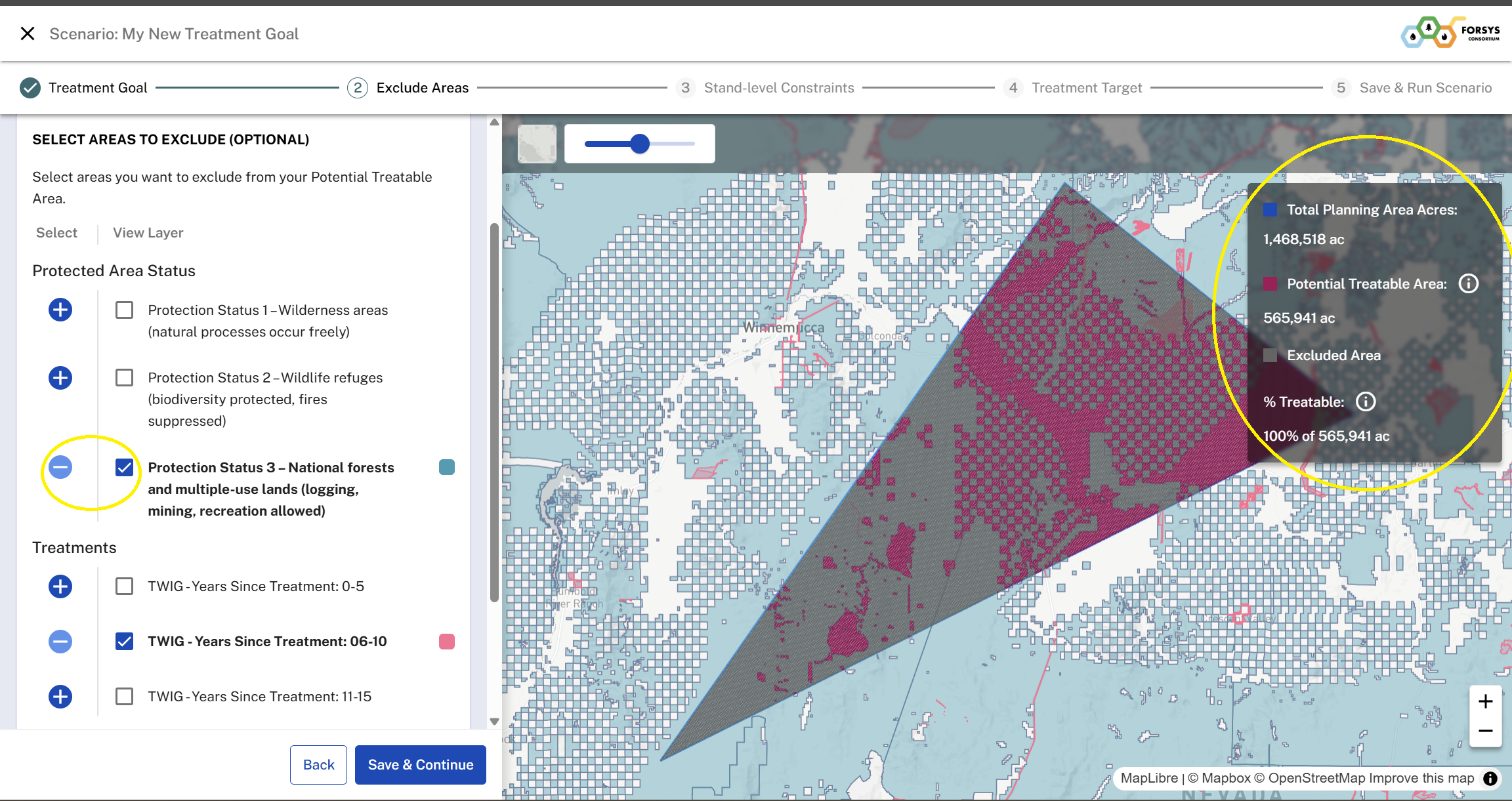
Areas to Exclude: Refine your potential treatable area by selecting specific areas to exclude. This optional step allows for real-time visualization of changes on the map and legend. For additional details on how the Excluded Areas are identified, read here: Excluded Area Logic. For information on the Treatments data layer, see: Treatments Data Layer
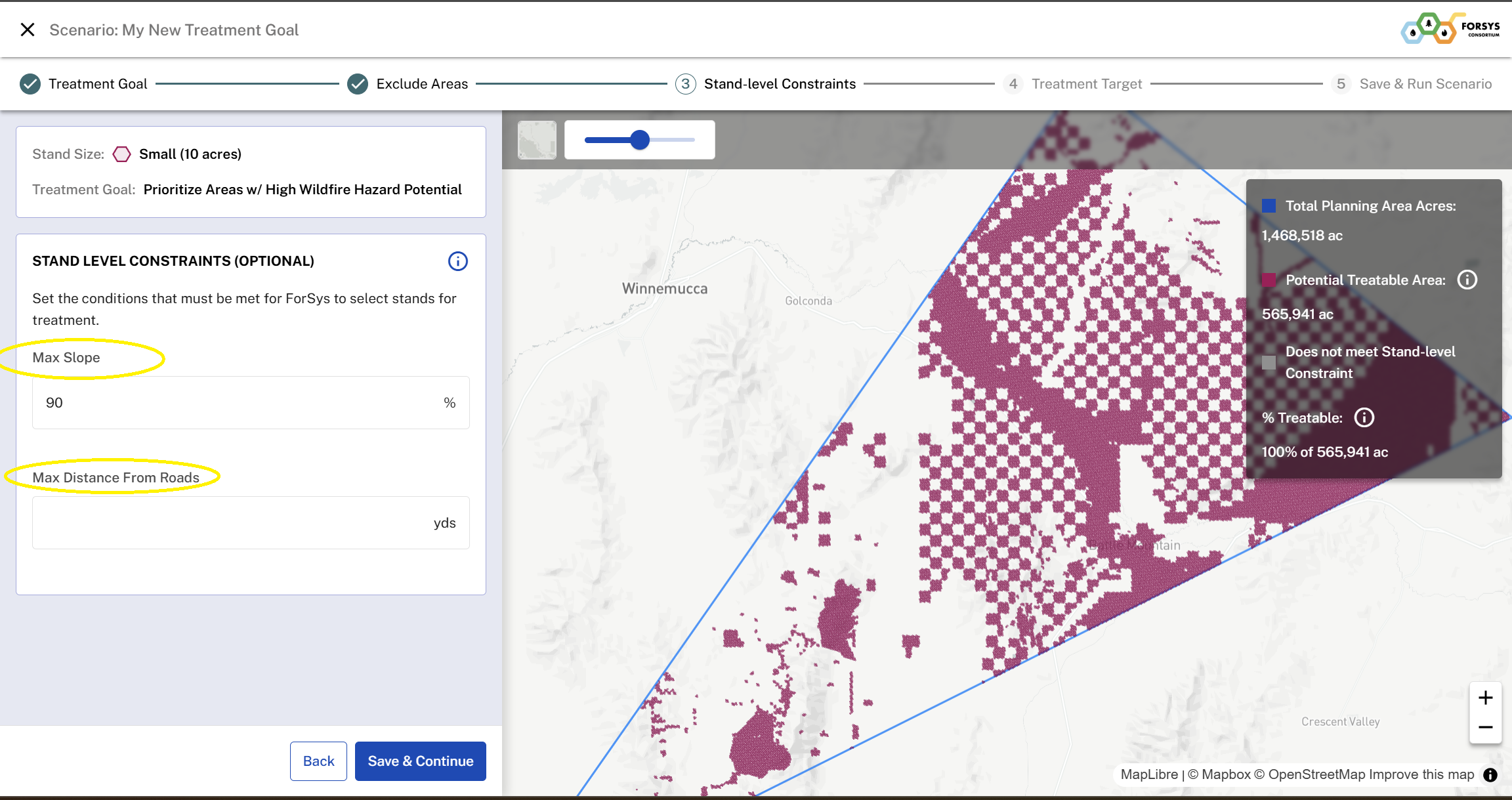
Stand Level Constraints: Stand-level constraints set the conditions a stand must meet to be eligible for treatment by ForSys. These are based on operational factors that define where treatments can realistically occur. Add max slope or max distance from roads to ensure that only feasible and operationally suitable areas are targeted.
Apply Treatment Target: Add the treatment targets that ForSys will use when generating project areas. You can also update treatment costs, which will be included in scenario reporting to show cost estimations.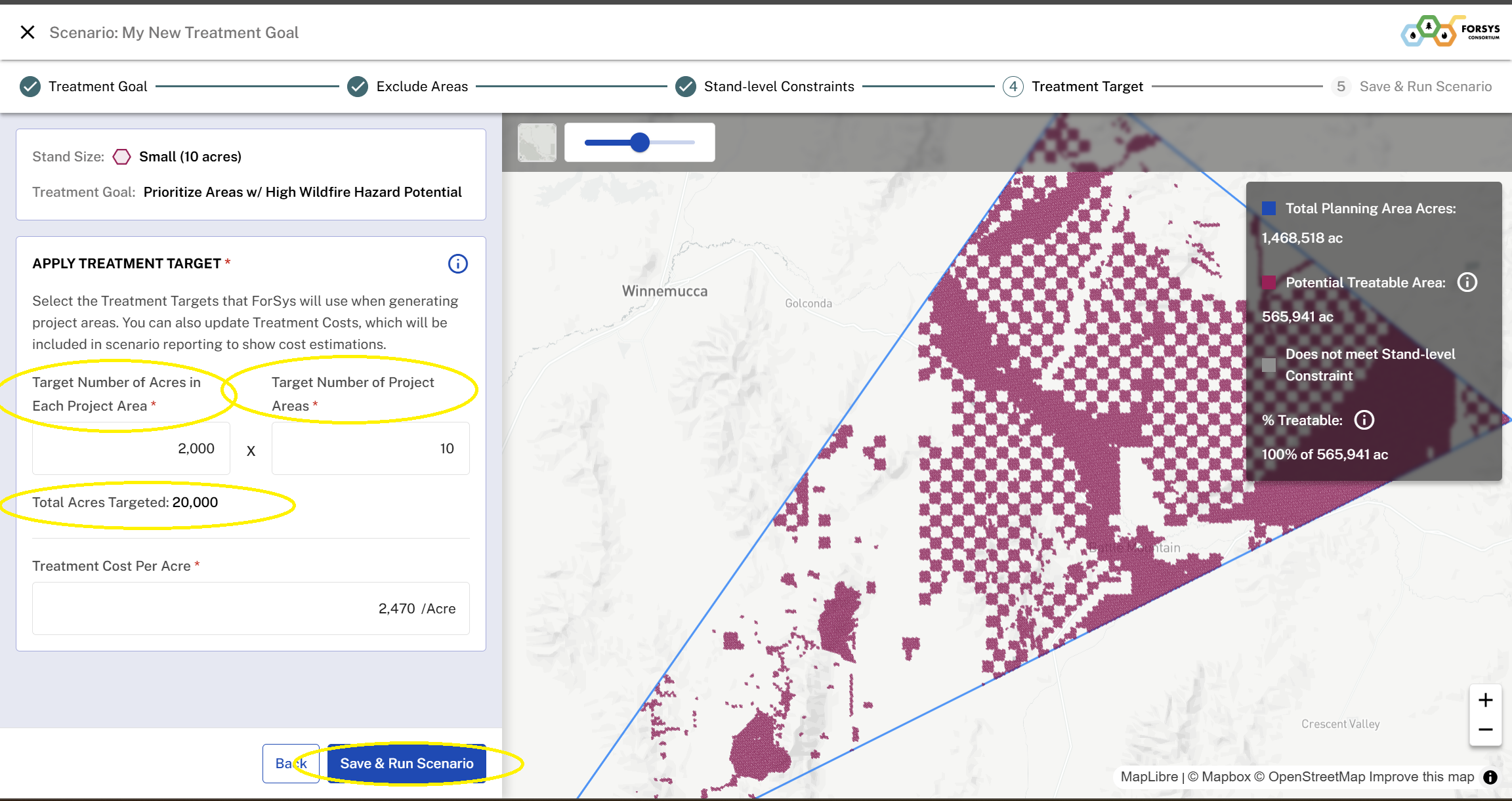
You will receive an email that notifies when your scenario results are ready to view.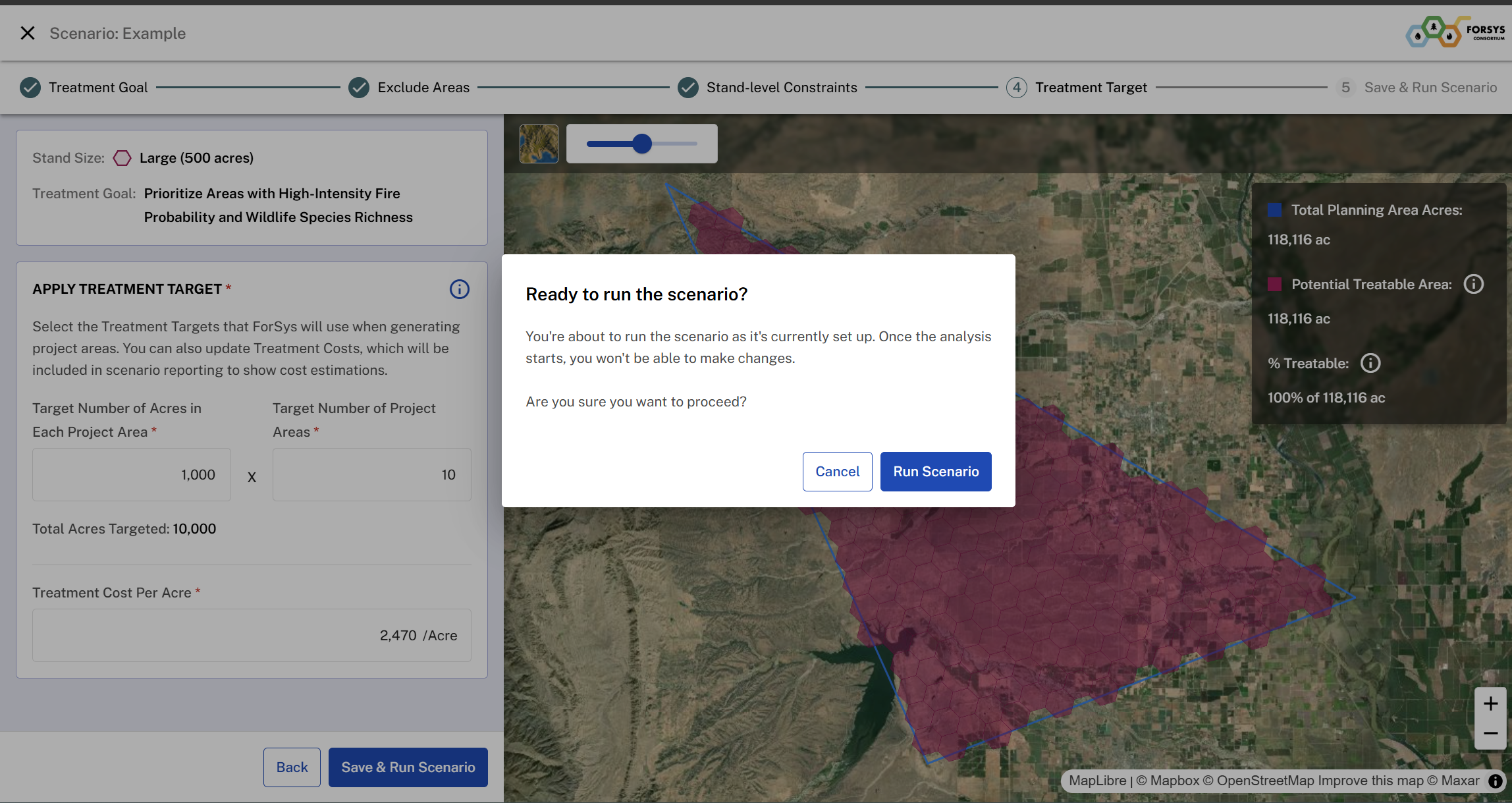
Was this article helpful?
That’s Great!
Thank you for your feedback
Sorry! We couldn't be helpful
Thank you for your feedback
Feedback sent
We appreciate your effort and will try to fix the article