Stand-level constraints define the conditions a stand must meet for ForSys to consider it for treatment. These optional settings help you focus treatments on stands that meet your operational requirements and planning criteria.
Maximum Slope and Distance from Roads
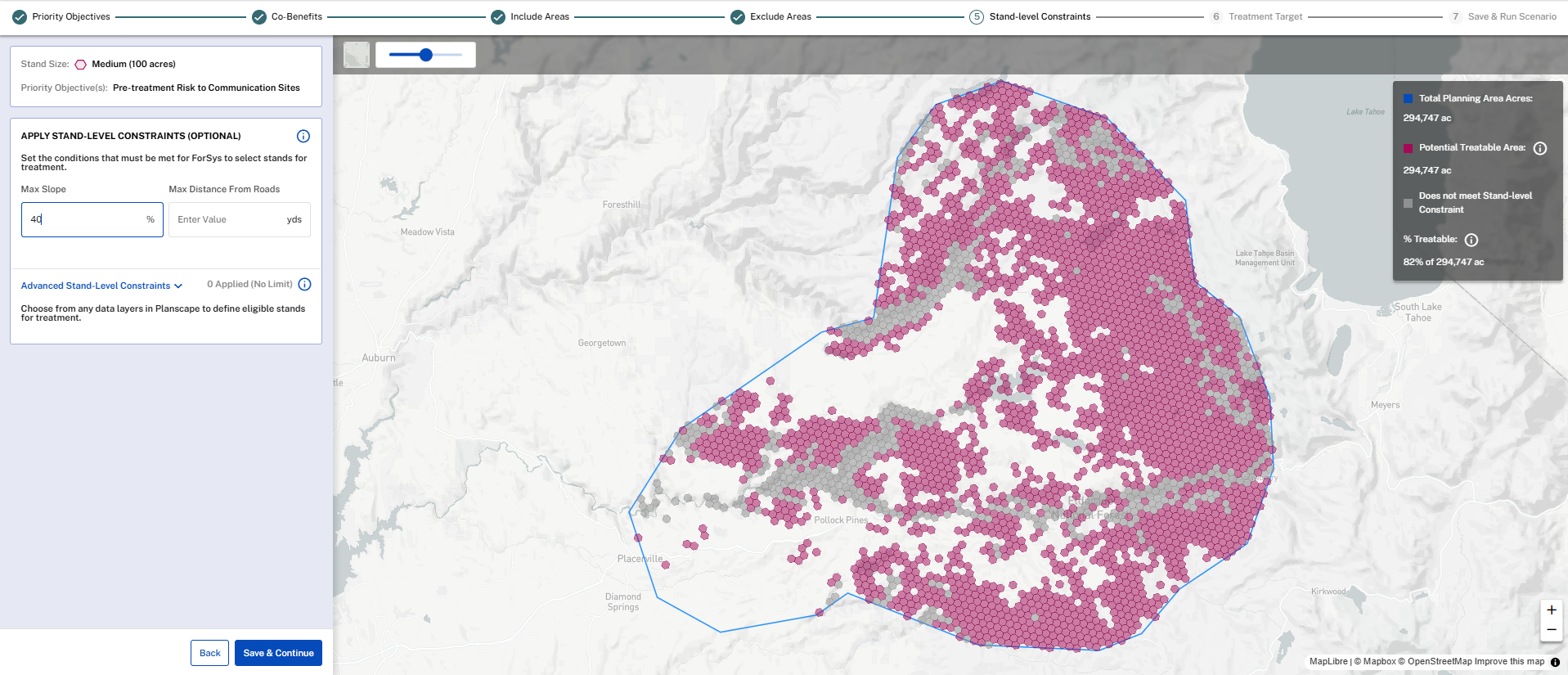
On the Stand-level Constraints step, you can set two common operational constraints:
- Max Slope: Enter the maximum allowable slope as a percentage.
- Max Distance From Roads: Enter the maximum allowable distance from roads.
Stands that do not meet these conditions appear gray on the map. As stands are updated as un-treatable, the % Treatable decreases.
Advanced Stand-Level Constraints
Advanced constraints are intended for users who understand the selected data layers and their values. They allow you to use any available metric to define additional conditions a stand must meet to be considered for treatment.
Expand Advanced Stand-Level Constraints, then browse or search the available data layers.
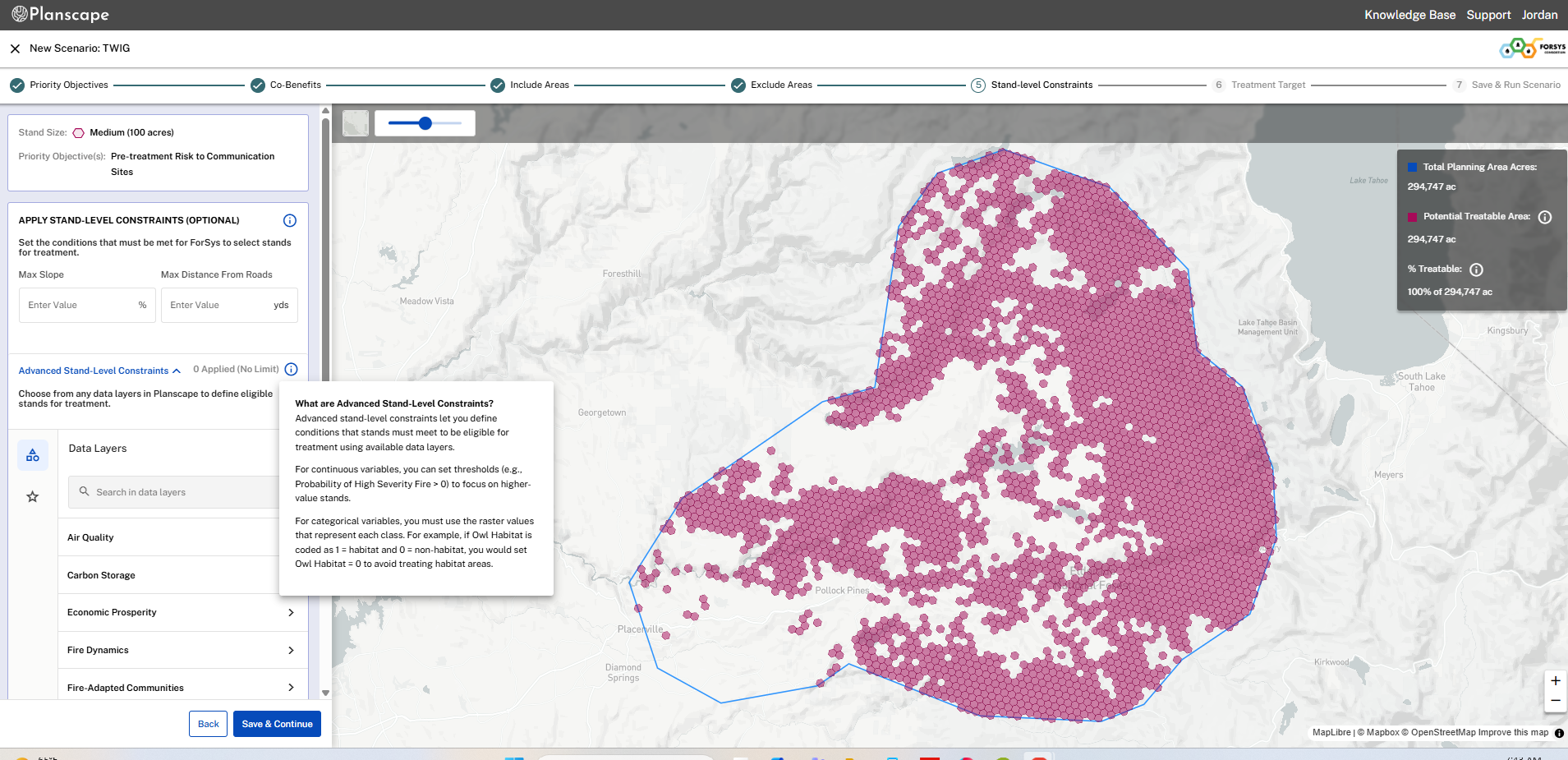
To configure a constraint:
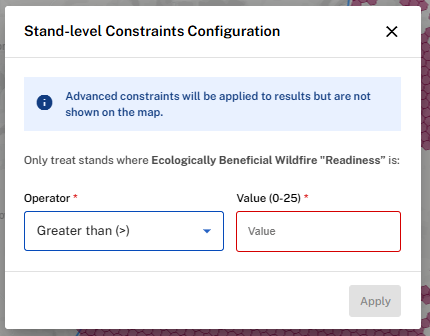
- Select a metric to open the configuration window.
- Choose an operator, such as equal to, greater than, or less than.
- Enter a value within the range displayed above the value field.
- Select Apply to add the constraint.
Read the condition as: “Only treat stands where [metric] [operator] [value].”
For example, selecting Greater than (>) and entering 0 means that only stands with a value greater than zero for that metric can be considered for treatment.
Using Categorical Metrics
Categorical metrics represent distinct classes, such as habitat types or fuel models. To configure a constraint, enter the numeric code associated with a category rather than its name.
For example, if a layer uses 1 for habitat and 0 for non-habitat, setting the condition to Equal to (=) 0 makes only stands classified as non-habitat eligible under that constraint.
Use the information icon beside the metric to review its description and source documentation. You may need to download the data or research its documentation to understand what each code represents.
Reviewing Results and Troubleshooting
Advanced constraints are applied when the scenario runs. They do not update the setup map or its displayed treatable percentage. Review the scenario results to see which stands were eligible or excluded from consideration by ForSys.
A scenario will fail if too few eligible stands remain to meet your treatment targets. If this happens, review your constraints and consider relaxing or removing conditions, or reducing your treatment targets.
Was this article helpful?
That’s Great!
Thank you for your feedback
Sorry! We couldn't be helpful
Thank you for your feedback
Feedback sent
We appreciate your effort and will try to fix the article