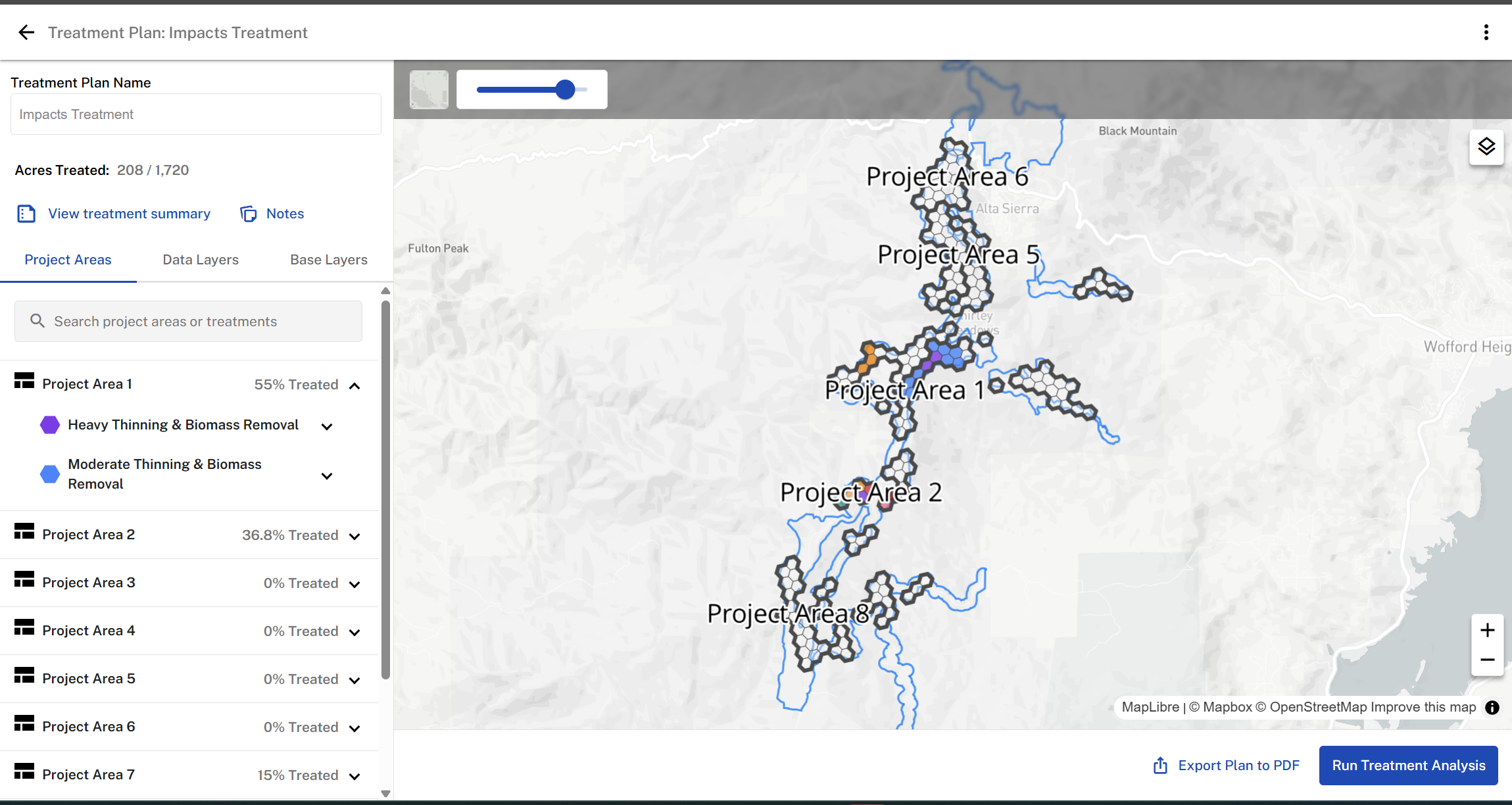
Once a treatment plan is created and named, the Treatment Plan Overview page will display the Planning Area and its associated Project Areas. This page provides an overview of all project areas and the status of treatments applied to each. It updates automatically whenever new treatments are added.
Project Areas Tab: Allows users to select and apply treatments while displaying details about each treatment.
Base Maps: Enables users to switch between Road, Terrain, or Satellite base maps for better visualization.
Notes: Provides a space for collaborators to communicate, share updates, and coordinate on treatment planning.
Search: Use the search box to review specific treatment prescriptions across project areas. This is especially useful for large planning areas with numerous treatments applied.
Treatment Summary: provides a breakdown of the total acreage for each treatment applied across all project areas.
Was this article helpful?
That’s Great!
Thank you for your feedback
Sorry! We couldn't be helpful
Thank you for your feedback
Feedback sent
We appreciate your effort and will try to fix the article