Treatment plans are created by applying available treatments at the stand level.
Select a Project Area: Click on a project area on the map or from the project area list. This will zoom into the selected area, allowing you to start applying treatments.
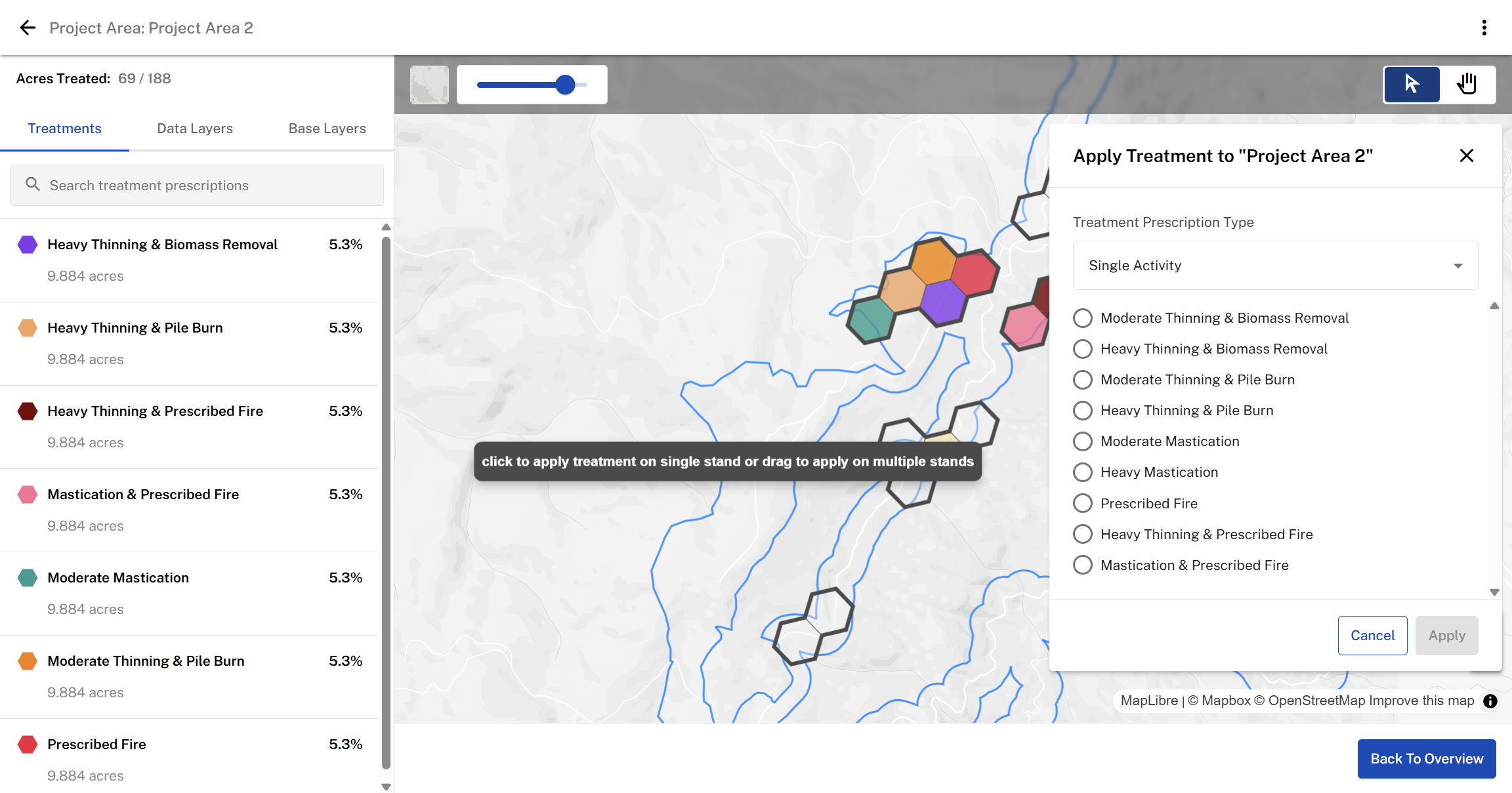
Choose Stands for Treatment: Click on a single hexagon (representing a stand) to apply treatment.
To select multiple stands, click and drag over the hexagons you want to include.
To remove a stand from selection, click it again.
Apply a Treatment Type: Choose a treatment from the available treatments list, which includes both single activity and sequenced activity options.
Single Treatment: Applies one treatment (e.g., RX Burn, Mastication) to the selected stands.
Sequenced Treatment: Allows for a two-step approach:
- Initial treatment (Year 0)
- Reentry treatment (Year 10)
Treatments are color-coded for easy differentiation.
Once selections are made, click “Apply” to assign treatments.
Was this article helpful?
That’s Great!
Thank you for your feedback
Sorry! We couldn't be helpful
Thank you for your feedback
Feedback sent
We appreciate your effort and will try to fix the article