Once your planning area is created, you'll be directed to the overview page for next steps.
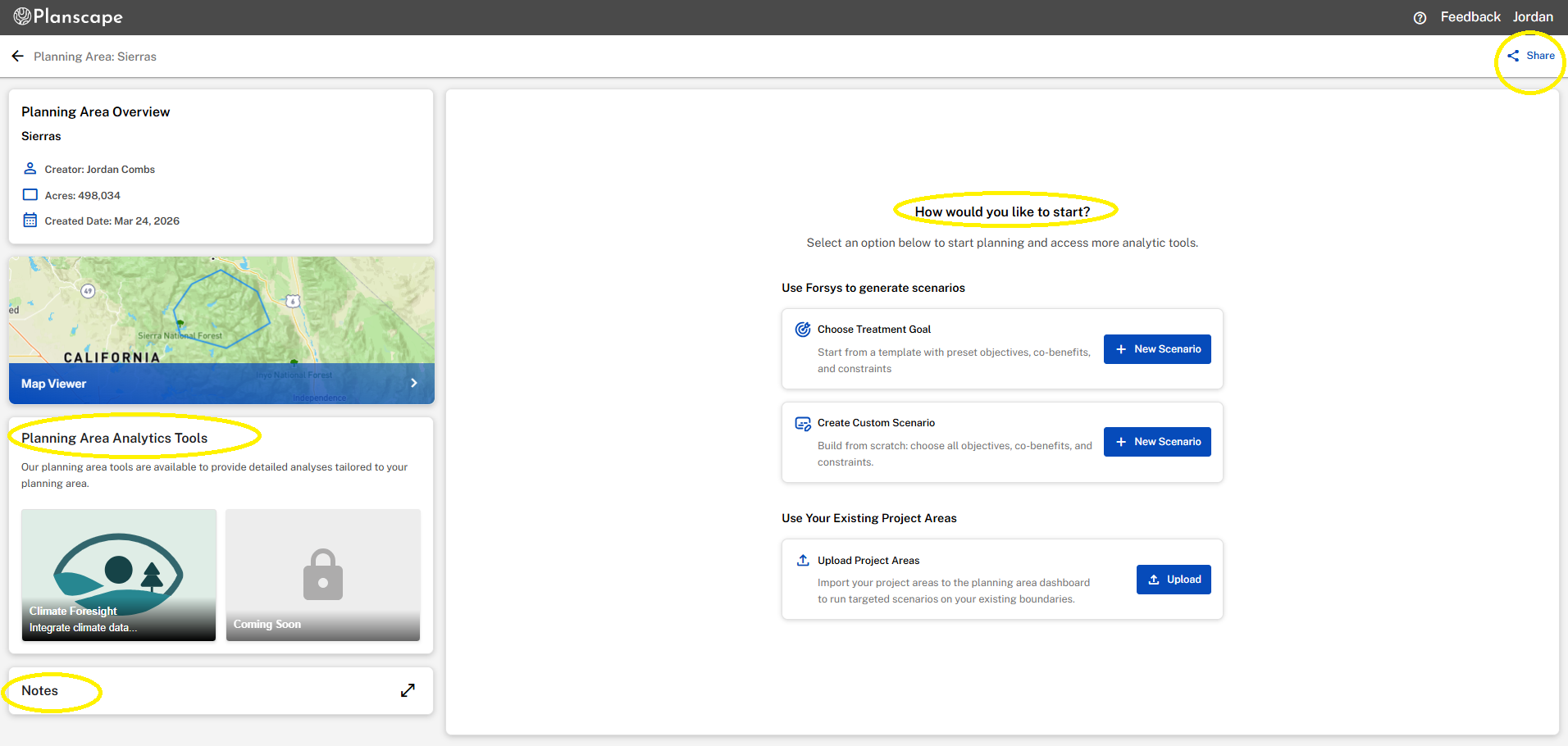
Notes: To facilitate collaboration, notes can be added to planning areas. Notes are simple text comments that are made by users to add context or information about the planning area.
Map Viewer: Vew your planning area with any data or base layers on the map viewer.
Planning Area Analytics Tools: Unlock deeper insights with analytic tools designed to work directly within your planning area. Learn more about current tools.
Share: Select share from the menu bar. Note that you are not just sharing a scenario, you are sharing the entire planning area. A popup will appear, prompting you to add an email addresses and select the access level.
Scenarios and Project Areas: Run a scenario using treatment goals to create new project areas, or use the upload tool to import your existing ones directly into Planscape. Learn more about scenarios and project areas.
Was this article helpful?
That’s Great!
Thank you for your feedback
Sorry! We couldn't be helpful
Thank you for your feedback
Feedback sent
We appreciate your effort and will try to fix the article